

In Zimbra you may encounter errors in your sharing calendar. This may be caused by some synchronizing errors, or some files being corrupted.

How to troubleshoot Shared Calendar Errors
If you have errors with the calendar, here how to troubleshoot it.
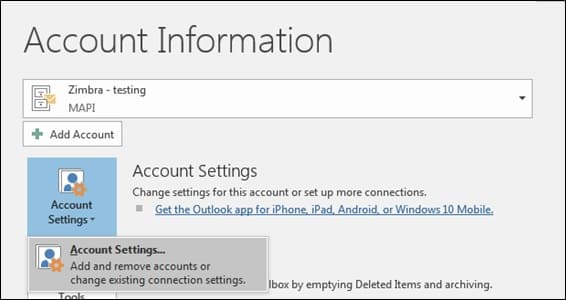
1 – Go to Account Settings
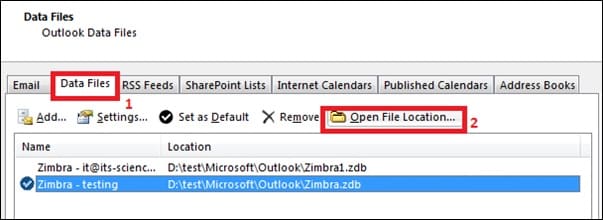
2 – Go to Data Files > Open File Location
3 – Close Outlook.
4- In the open folder you should see all the .idmv files, rename or delete the .idmv files
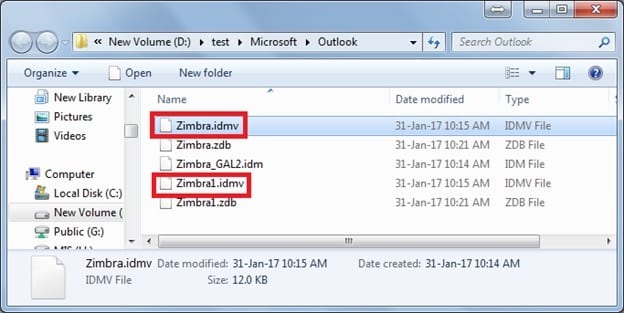
After renaming it should look like this. This will force the outlook to recreate these files as they are corrupted.

Open your outlook again, you should be able to see your calendar again. If the error cannot be solved, please create the email again on a new profile.