
OneDrive may be a very useful tool for sharing, but sometimes synchronizing problems occur due to inconsistent internet, etc, OneDrive may have problems, just like those you see below:
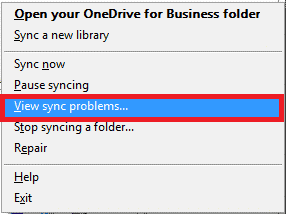
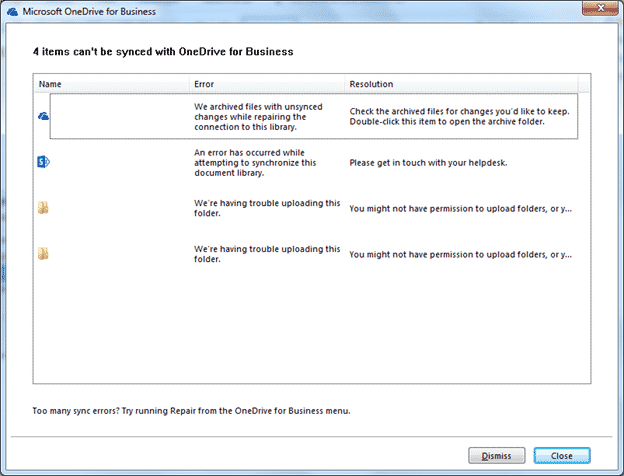
It is also advisable by OneDrive to Run a Repair
To do this, right click on the OneDrive icon and click Repair (as you see below)

After that click Repair (Please take note to close all documents from the OneDrive Sharing folder as well as the OneDrive folder for the repair to work)

This will resync all your files. Once done your OneDrive should display that it is up to date.
Please take note that the below will cause synchronization errors:
- Inconsistent Internet when synchronizing
- Files with long file names
- Files without sharing permissions
- Files with special characters (https://support.microsoft.com/en-sg/kb/2933738)