The Head and the Platter of the Hard Drive
When it comes to traditional hard disk drives (HDDs), most of us know they store our most precious data. From family photos to critical business records. But few realize just how micro-microscopic the engineering inside actually is, or how easily that delicate balance can be disrupted.
To understand how hard drives fail and how to protect your data, we need to look at the fascinating, highly sensitive relationship between two core components, which are the Read/Write Head and the Platter.
1. The Normal Condition: Flight at the Nanometer Level
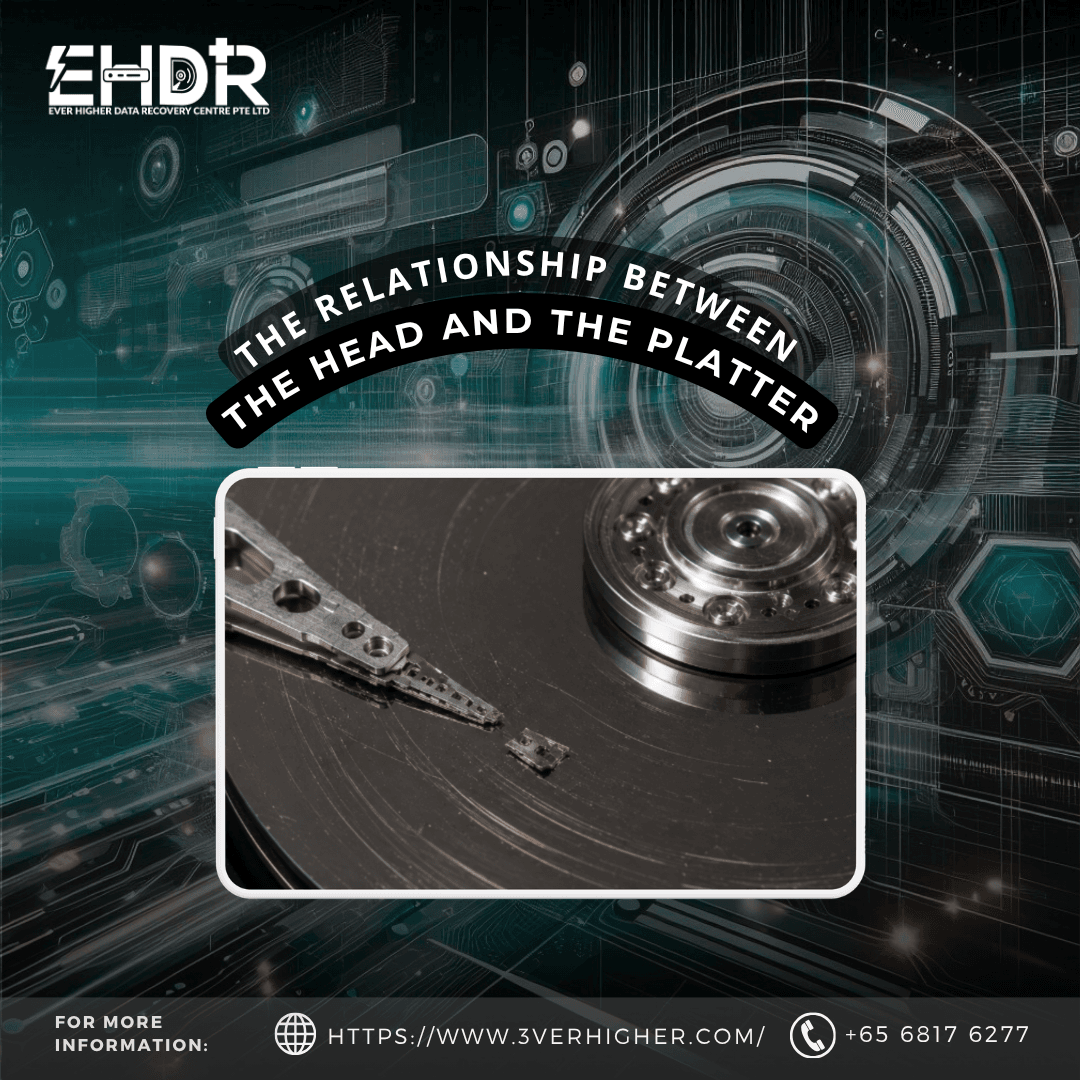
Inside your hard drive, data is stored on rapidly spinning disks called platters. To read and write this data, a mechanical arm positions a tiny component, the read/write head, over the platter surface.
Here is the amazing part: the head never actually touches the platter. Instead, it "flies" on an incredibly thin cushion of air generated by the spinning platter, known as an air bearing. The distance between the head and the platter. The flying height is just a few nanometers (2–10 nm). For context, a single human hair is about 80,000 to 100,000 nanometers wide. This stable, non contact operation is what allows your drive to read and write data accurately and reliably every single day.
2. Platter Problems: When the Surface Breaks Down
Because the flying height is so minuscule, any imperfection on the platter's surface acts like a massive roadblock, causing immediate stress and wear on the read/write head.
Typical Platter Issues Include
- Weak Sectors: Areas with poor magnetic quality that result in weak signals.
- Surface Contamination: Microscopic debris or dust particles settling on the disk.
- Scratches: Physical grooves gouged into the magnetic coating.
The Chain Reaction
When a platter has a problem, the head suffers.
- Multiple Retries: Faced with a weak sector or a weak signal, the drive tries to read the data over and over.
- Heat and Wear: This extended operating time generates excess heat, accelerating head wear.
- Contamination & Friction: Debris and scratches on the platter physically contaminate and wear down the head's slider.
The Result: Platter issues act as an accelerator. They rapidly degrade the read/write head and will eventually cause total head failure
3. Head Problems
What happens when the head itself starts to fail? Interestingly, a failing head doesn't always mean your data is physically destroyed. It depends entirely on the type of failure.
Scenario A: Electrical or Functional Failure (Platter Usually Safe)
If the head suffers from mild degradation, such as a weak read/write capability due to age or electrical wear. It simply stops communicating effectively. Because it maintains its non-contact "flight" over the disk, the platter is usually safe and remains undamaged. In these scenarios, professional data recovery has a very high success rate.
Scenario B: Physical Failure or Head Crash (Permanent Damage)
The real danger occurs when the head becomes unstable, misaligned, or loses its physical ability to fly. When this happens, the head loses its air cushion and makes physical contact with the spinning disk.
This is known as a Head Crash. The metal head literally scrapes against the platter surface, causing physical scratches and permanently destroying the magnetic layer where your data lives.
Key Takeaways for Your Data Safety
- Platter problems lead to head damage over time. A drive struggling with bad sectors will eventually burn itself out due to heat and stress.
- Head problems only damage the platter during physical contact. If you catch a failing drive before a physical "head crash" occurs, your data is highly likely to be recoverable.
What This Means for You
Because the tolerances inside a hard drive are measured in nanometers, a mechanical drive is a ticking clock once it begins to fail.
If your computer is slowing down, freezing, making clicking or grinding noises, or throwing "bad sector" errors, stop using the drive immediately. Continuous power to a failing drive forces the stressed components to keep interacting, turning a simple, recoverable soft failure into a head crash.
When your data is on the line, turn off the machine and consult a professional data recovery specialist right away.
EHDR, We Leave No Data Behind!