Is your external hard drive port broken? The drive might still be working fine. Follow these steps.
1. Remove Casing
How to dismantle?
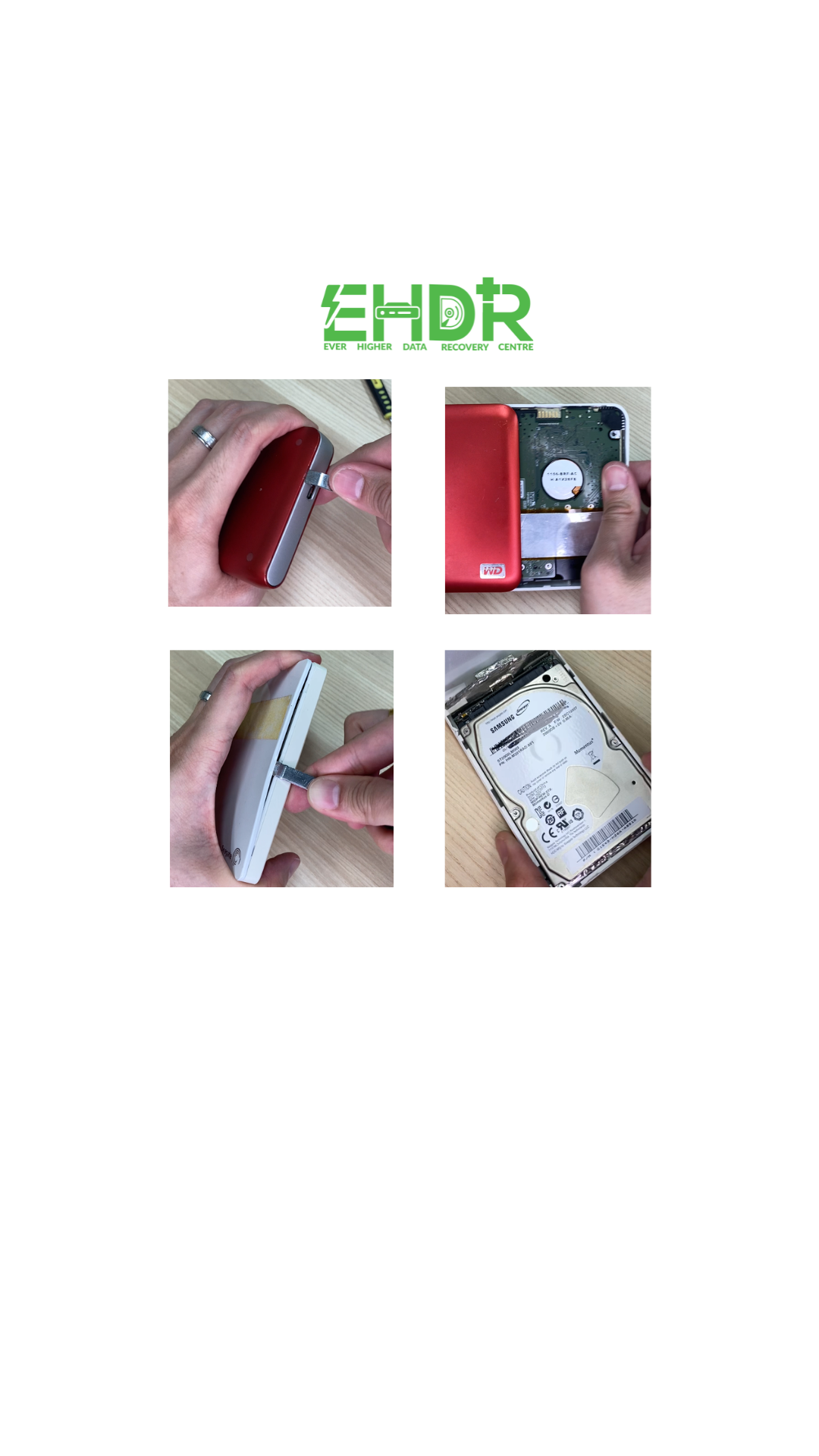 Search “Dismantle “HDD model number or part number(P/N).” We have some video prepared in our page, click here to check it out.
Please comment on your HDD model number in our video so we can prepare the video for your reference, if available.
2. Identify HDD Type
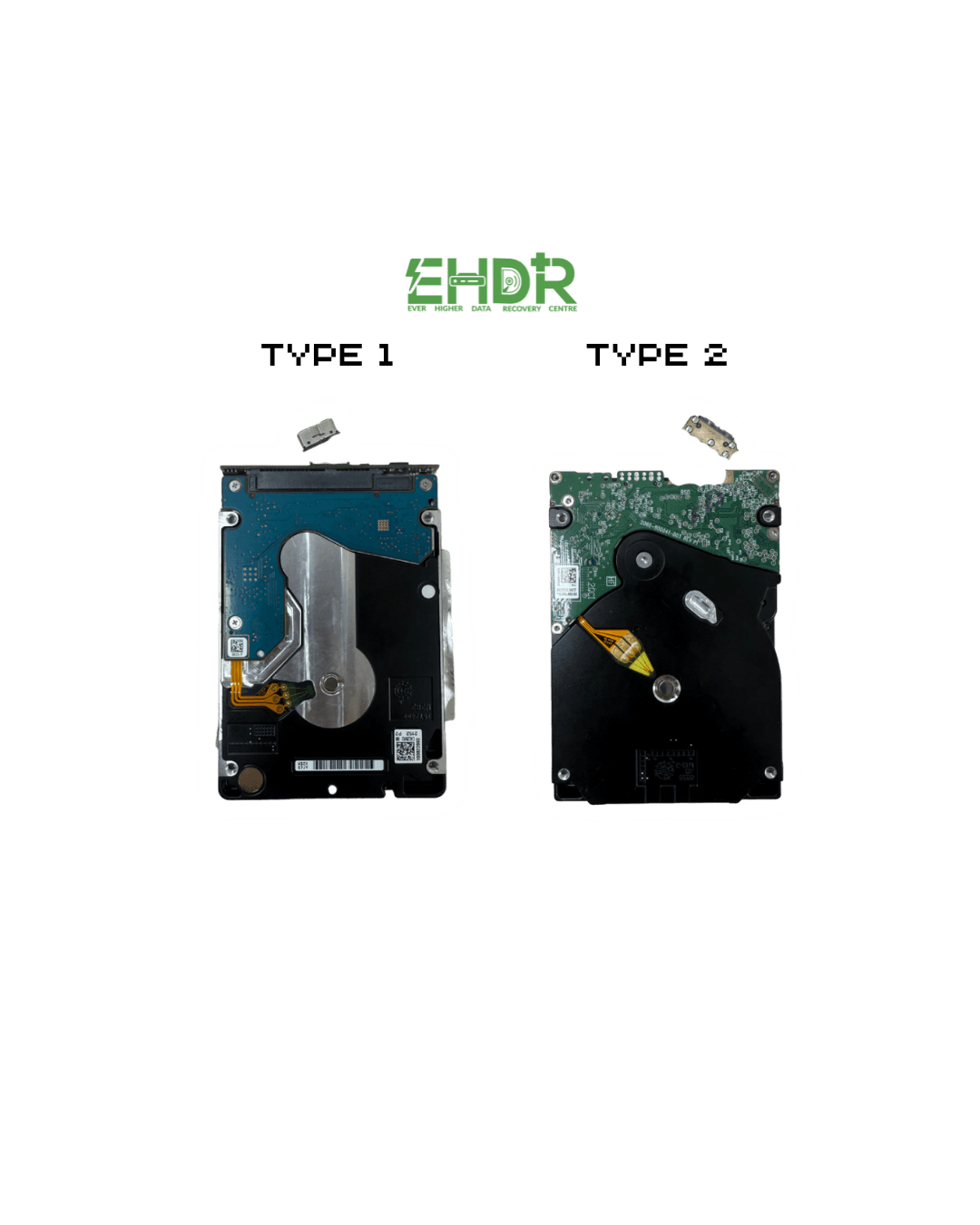
For Type 2, it requires tools as it INVOLVES welding. Seek professional help to extract your data if your data matters.
Proceed to the next step if yours is Type 1.
3. Remove the connector
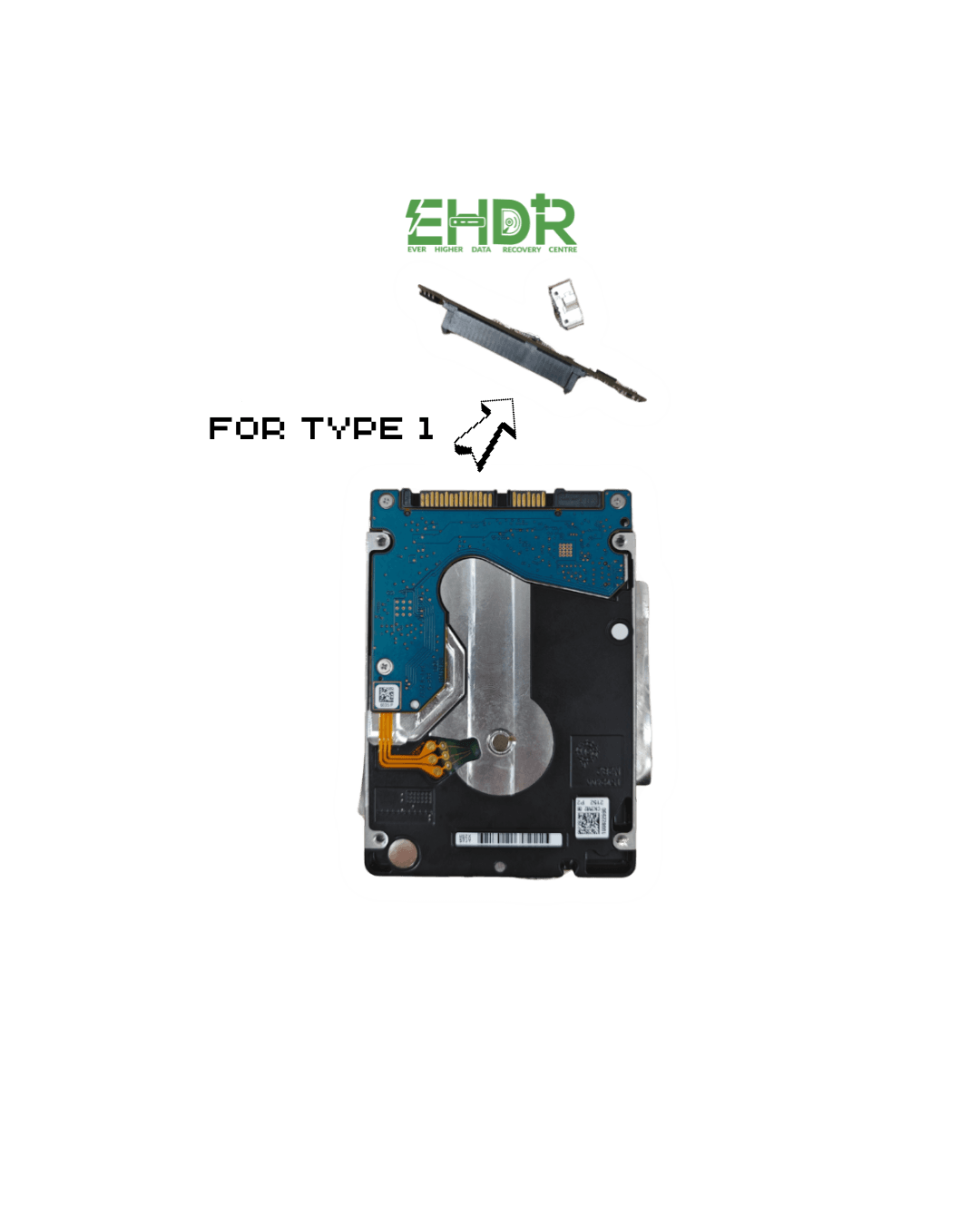
After REMOVING it, check the types of your HDD Connector.
4. Identify HDD Connector
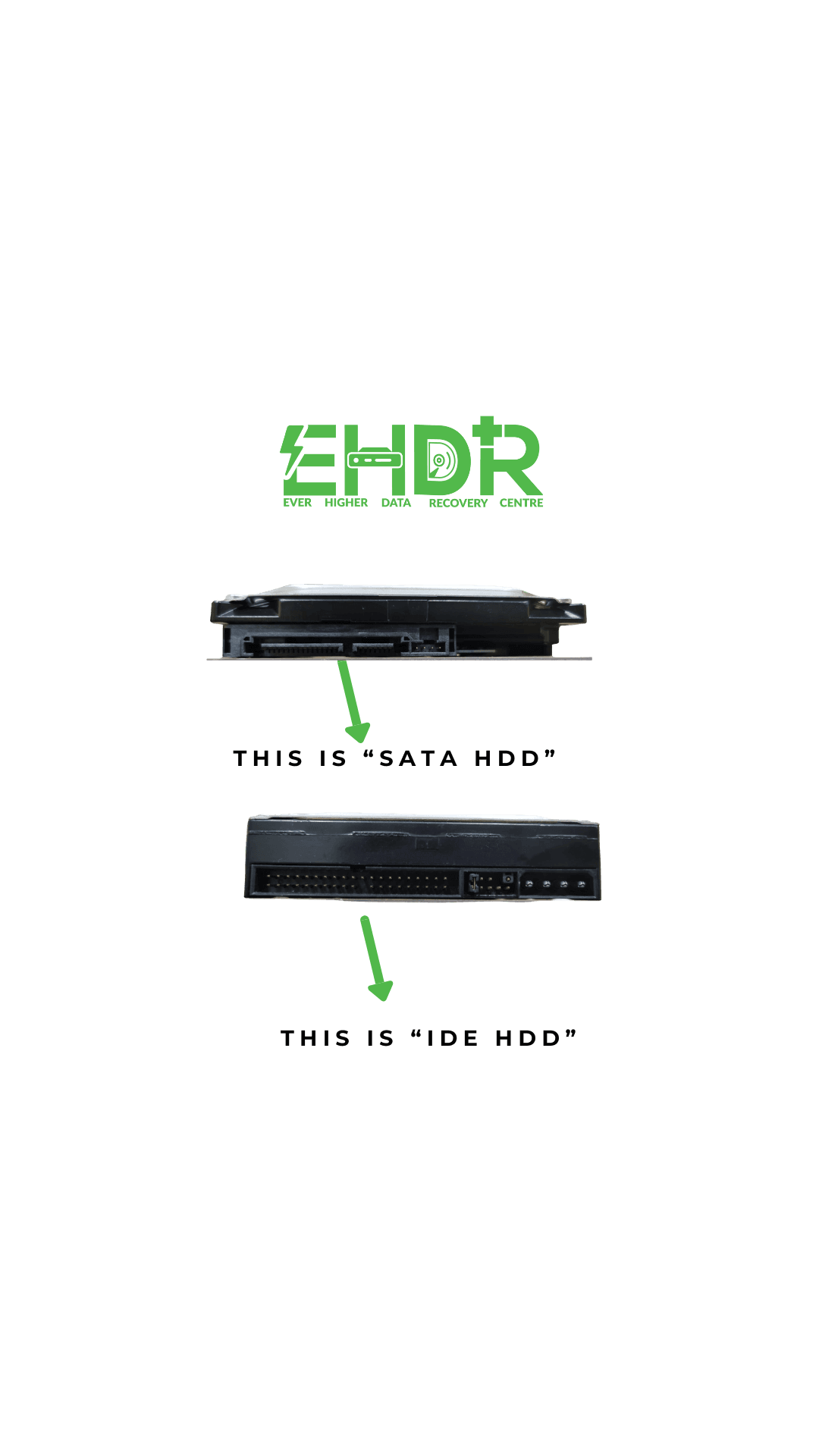
Please note that their connectors are different.
5. Purchase an HDD Enclosure
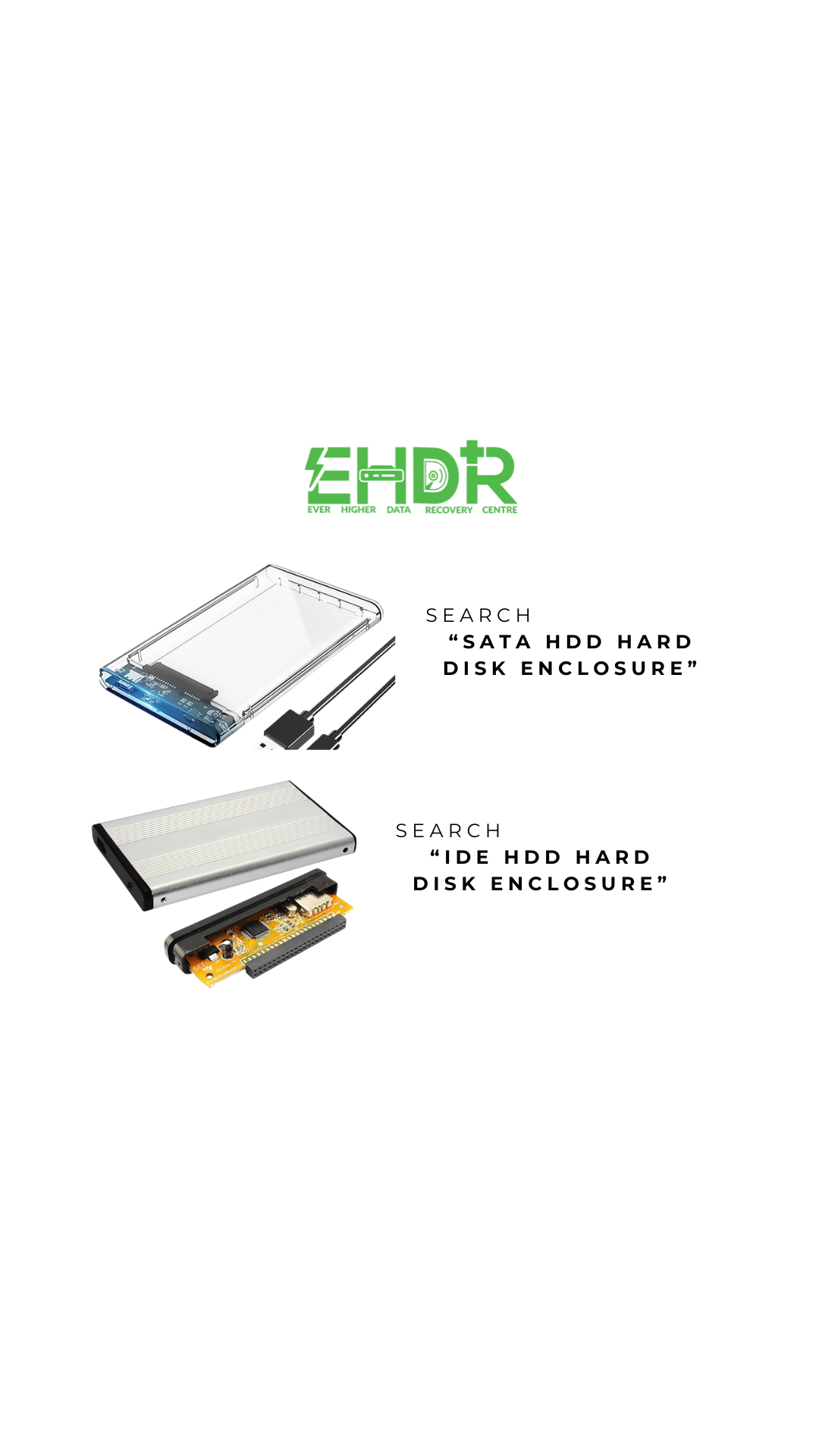
Search "SATA HDD hard disk enclosure" or "IDE HDD hard disk enclosure"
While you search, you might see numbers like 2.5" or 3.5".
2.5" is meant for a small external HDD
3.5" is meant for a big desktop HDD
6. Connect HDD
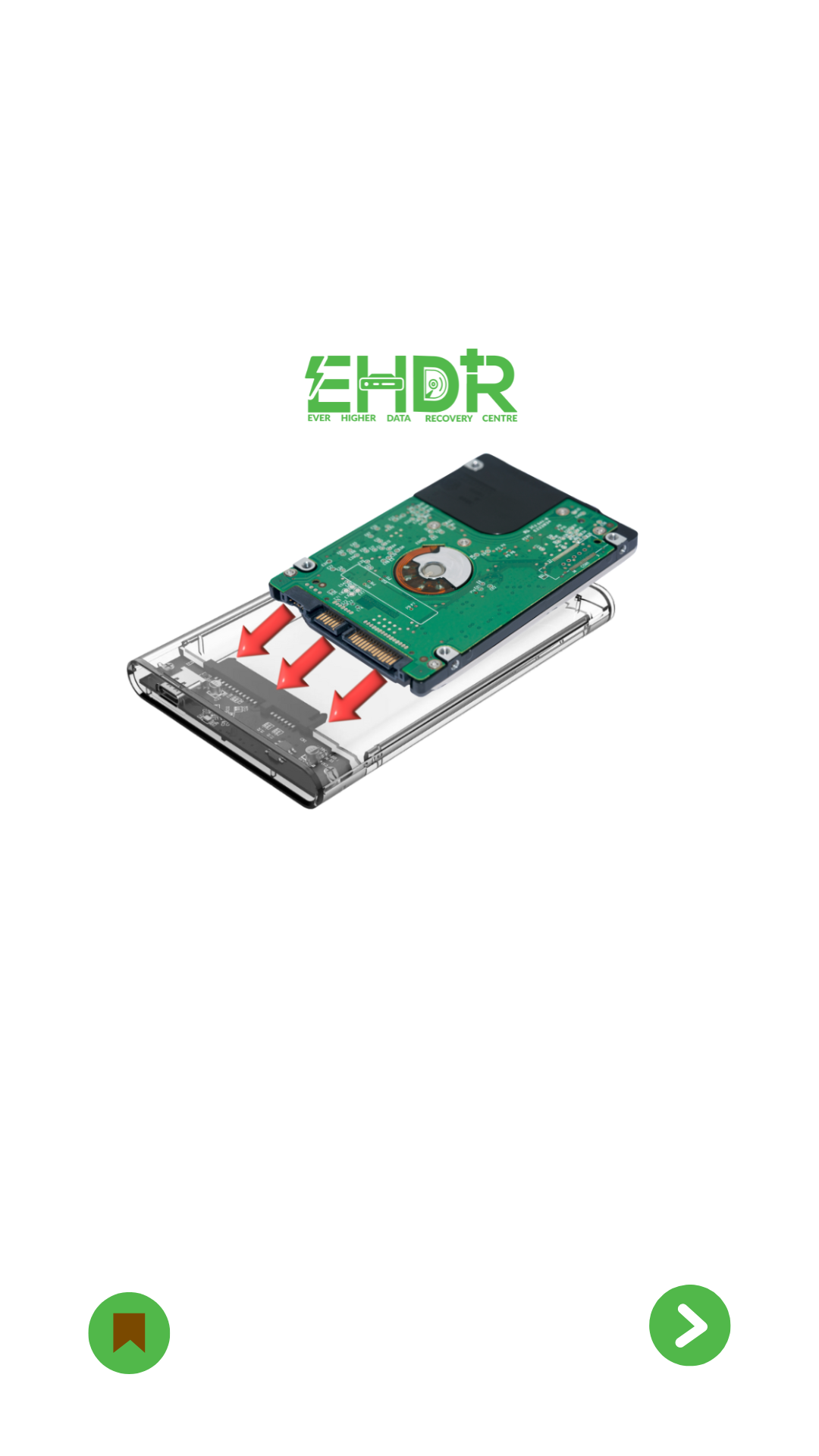
***Due to image limitations, do turn your HDD upside down as compared to what shows above to match the connector before inserting.
Congratulation
You can now use it normally. If the HDD is still not detectable. It might be related to a logical or hardware failure. If data matters, please don't hesitate to contact us, experts in data recovery services in Singapore.
EHDR, We Leave No Data Behind.